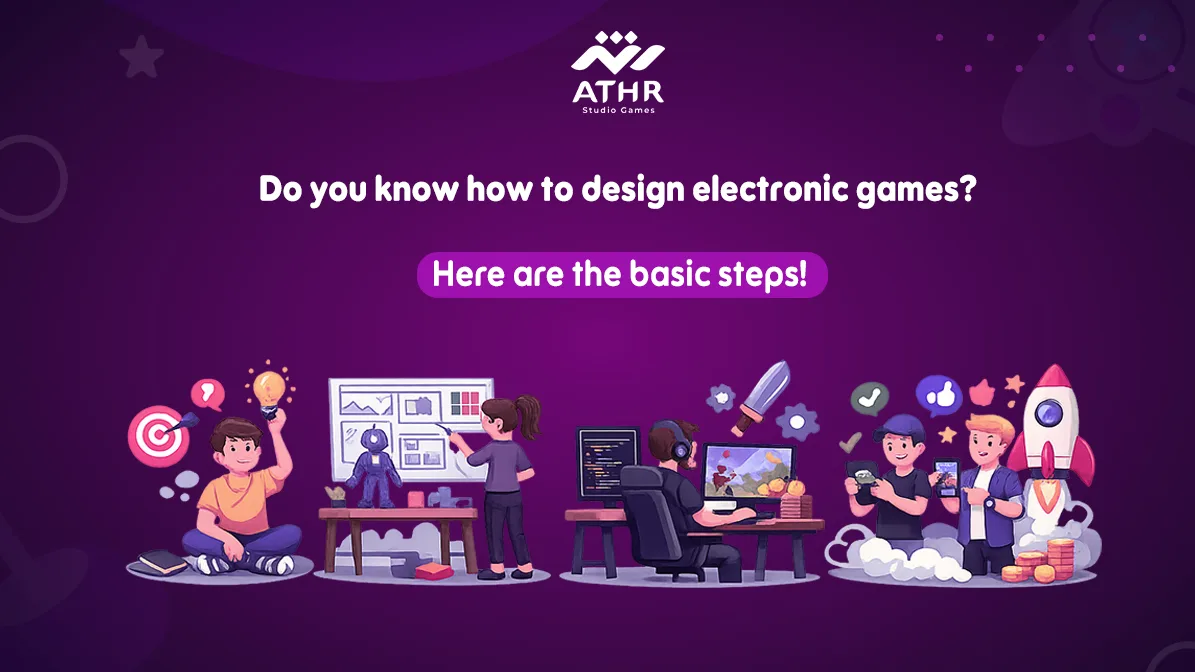
Game design is an exciting field that allows you to transform your ideas into entertaining experiences. If you want to learn how to Design Games, this is your guide to the essential steps that will help you get started in this field, from choosing the right tools to enhancing the player experience.
☎️ Contact us now for a free consultation on game design!
What Are the Basics of Game Design?
Game design requires a blend of art and science to succeed in this field. To get started, you need to learn some essential basics:
🔹 Programming:
Programming is the foundation upon which everything in the game is built. Through programming, you control character movement, interaction with the environment, and the decisions made by the player.
Learn programming languages like C# if you’re using Unity, or C++ if you’re using Unreal Engine.
🔹 Character Design:
It’s important to learn how to design interesting and unique characters. A good character moves smoothly within the game and fits well with the gameplay style.
🔹 Game Physics:
Understanding how objects move and interact with players inside the game is essential. Whether it’s for a character, vehicle, or environment, the physics should feel realistic within the game.
🔹 User Experience (UX):
The game should be easy to use and smooth. Players should be able to interact with the game naturally and enjoyably, with good interaction between different game elements.
Steps to Start Designing an Innovative electronic game
1️⃣ Choose the Game Idea:
The first thing you need to do is determine the idea for your game. Will it be an action game, adventure, sports, or even an educational game? Try to make your idea fresh and unique in the market.
2️⃣ Use the Right Tools:
There are powerful tools to help you design games, such as Unity and Unreal Engine. These tools provide a comprehensive development environment and allow you to export games to various devices.
- Unity is great for developing both 2D and 3D games and supports programming with C#.
- Unreal Engine is best for 3D games and uses C++ and Blueprints.
3️⃣ Graphic Design:
After deciding on the idea, it’s time to design the graphics. You can use tools like Blender for 3D modeling or Photoshop for 2D image editing. Make sure the graphics align with the style of gameplay you’ve chosen.
4️⃣ Development and Programming:
The next phase is programming. This is where you begin developing game mechanics like character movement and interactions with the environment. If you’re using Unity, you can program with C# to implement movements, interactions with buttons, and AI.
5️⃣ Testing the Game:
Once you’ve finished developing the game, make sure there are no bugs that could affect the player’s experience. You should test it on various platforms such as mobile, PC, and gaming consoles to ensure good performance.
Top Tips for Beginners in Game Design
If you’re new to game design, here are some tips to help improve your skills:
1) Start with Small Projects:
- Don’t try to design a huge game right from the start. Try simple 2D games first to learn the basic tools and techniques before moving on to larger projects.
2) Learn from Others:
- Take advantage of online resources such as courses on platforms like Udemy or Coursera. You can also study open-source projects on GitHub to learn from how professionals create their games.
3) Use the Right Engines:
- Learn to use engines like Unity and Unreal Engine. These engines provide many tools you’ll need without having to build everything from scratch.
4) Enhance User Experience:
- Ensure that the game is responsive and easy to play for all ages. Start with a simple design and then gradually add challenges to improve the experience.
5) Don’t Give Up Quickly:
- Game design takes time and patience. You’ll face challenges at first, but with continuous learning and practice, you’ll overcome them.
Your dream of designing electronic games starts here! Read the beginner’s guide and begin your project today.
What Are the Game Design Tools Beginners Should Use?
When starting with game design, you’ll need powerful tools to turn your ideas into real games. There are many engines and technologies available, but it’s important to choose the one that best suits your work.
Free Game Design Tools for Beginners
If you’re a beginner in game design, there are many free tools you can use to get started:
🔹 Unity: One of the best engines for designing both 2D and 3D games. It provides an easy and flexible development environment and supports multiple platforms such as Windows, iOS, and Android.
- Advantages of Unity: It supports programming in C#, has a massive library of helper tools, and allows you to export your game to various platforms.
🔹 Unreal Engine: A powerful engine specifically used for designing games with high-quality graphics. Although it requires more learning compared to Unity, it offers incredible possibilities for creating 3D games.
- Advantages of Unreal Engine: It uses C++ and Blueprints, helping you design complex games, and provides advanced graphics.
🔹 Godot: An open-source, user-friendly engine, ideal for beginners and supports multiple systems.
- Advantages of Godot: It’s completely free, supports programming languages like GDScript (similar to Python), making it perfect for building 2D and 3D games easily.
🔹 Construct: A drag-and-drop design engine, perfect for those who have no programming experience.
- Advantages of Construct: It’s easy to learn and ideal for quickly and simply designing 2D games.
Choosing Between Unity and Unreal Engine for Designing Innovative Games
When choosing a game engine, you should consider several factors. Unity is usually the best choice for beginners, while Unreal Engine is the ideal choice if you aim to design games with high-quality graphics.
| Feature | Unity | Unreal Engine |
|---|---|---|
| Best for Beginners | Easy-to-learn interface, with tools and tutorials to help beginners get started quickly | Not specifically designed for beginners |
| Flexibility | Supports all types of games (2D or 3D) | Focuses more on advanced graphics |
| Performance | Works well on lower-end devices | Ideal for large, complex games with high performance |
| Advanced Graphics | Less powerful in graphics compared to Unreal | Perfect for high-quality graphics and visuals |
| Advanced Tools | Provides tools and tutorials for beginners | Offers tools like Blueprints for game development without coding |
📍 Based on these criteria, if you’re a beginner with an idea for a simple or medium game, you can start with Unity. However, if you aim to develop advanced games with stunning graphics, Unreal Engine will be the best choice for you.
Choosing between Unity and Unreal Engine can be tricky, but we’re here to help you make the best decision for your project.
How to Keep Your Game Free from Issues?
The performance of video games can be the deciding factor between a successful game and one that disappoints. If a game is slow or has performance issues, it can negatively impact the player’s experience. Therefore, it is crucial to optimize the game’s performance to ensure users enjoy playing it.
Techniques for Improving Speed and Game Performance
To enhance the speed and performance of games and deliver a better gameplay experience, there are several techniques you should follow:
✔️ Graphics Optimization:
Using simpler or lower-quality graphics can help speed up the game, especially if it contains 3D visuals. Additionally, compressing files like 3D models and sound effects reduces data size and speeds up loading times.
✔️ Memory Management:
Cache memory plays a significant role in speeding up the game. Make sure to load data only when needed to avoid unnecessary memory consumption. Optimizing game engines like Unity and Unreal also helps reduce inefficient resource loading.
✔️ Optimizing Code:
Writing efficient code and improving algorithms minimizes the delay caused by unnecessary processes. Using techniques like “multithreading” helps speed up data processing.
✔️ Improving Input Response:
Ensure that inputs such as button presses or dragging are processed quickly with no delay. This will enhance the player’s experience and make it more seamless.
The Importance of Performance Testing Before Launch
Before releasing your game, it is crucial to conduct thorough performance tests to ensure it runs smoothly on all devices. These tests include several aspects, such as:
✔️ Lag Testing:
Ensure that graphics and movements in the game flow smoothly with no noticeable delay.
✔️ Battery Testing:
If the game is intended for mobile, ensure it doesn’t consume too much battery power.
✔️ Stability Testing:
Check that the game doesn’t crash or freeze when running on different devices.
✔️ Device Compatibility Testing:
Test the game on a range of old and new devices to ensure it works well across the board.
✔️ Network Testing:
If the game relies on an internet connection, make sure it performs efficiently under various network conditions.
Conducting these tests will help improve the player’s experience and ensure the game’s performance is optimized.
How to Design an Innovative Mobile Game That Wins Players’ Hearts? 📝 Here’s Your Path to Success!
Graphics in Game Design: How to Create an Amazing Visual Experience?
Graphics are an essential part of any electronic game. Not only do they make the game beautiful, but they also significantly affect the player’s experience. By designing stunning graphics, a game can attract players and keep them engaged for a long time.
Modern Tools and Techniques for Designing Graphics
To design outstanding graphics, you need to use advanced tools and techniques. Here are the key tools used in this field:
- Blender: A free and powerful tool used for designing 3D models. You can use it to create environments, characters, and in-game objects.
- Adobe Photoshop: Photoshop is used to design 2D images, such as backgrounds and fine details that are added to the game.
- Autodesk Maya: A professional tool used by many large game companies to design 3D models.
- ZBrush: A fantastic tool for creating detailed 3D models, helping to add intricate details to game characters.
The Impact of Graphics on Gameplay Experience and Attracting Players
Graphics in games aren’t just aesthetic details, they play a major role in enhancing the overall gameplay experience. Here’s how:
1) Enhancing Immersion:
Good graphics help players feel like they are part of the game world. For example, a game like “Red Dead Redemption 2” uses stunning graphics that make the player feel like they’re living inside a realistic film.
2) Stimulating Visual Incentives:
Graphics trigger visual incentives such as characters interacting with the environment or weather and lighting effects, adding excitement and impacting player performance.
3) Improving Interaction:
Well-crafted graphics make player interactions with the game world feel more realistic, enhancing the gameplay experience and helping them immerse themselves in the digital world.
Tools and Strategies to Increase Game Downloads
Even if your game features amazing graphics and content, attracting players and achieving a high number of downloads requires effective marketing strategies.
🎮 Tools and steps that can help increase your game downloads:
- App Store Optimization (ASO):
Make sure to optimize your game’s page on app stores like Google Play and Apple App Store to appear higher in search results, which increases the number of downloads. - Ratings and Reviews:
Encourage players to leave positive reviews and ratings on the stores. These reviews enhance your game’s credibility and attract more new players. - Social Media Marketing:
Use platforms like Instagram, Twitter, and TikTok to promote your game. You can collaborate with influencers to raise awareness and attract a larger audience. - Promotions and Discounts:
Offering promotions and discounts can serve as an incentive for new players to download and try the game.
📞 Our team is ready… Contact us and start executing!
Game design is a combination of creativity and skill. By following the steps we’ve outlined and choosing the right tools, you can begin your journey in developing standout games. Always remember that success in this field requires patience and perseverance. If you’re excited to create your own game, don’t hesitate to start working with us now!